Wingdings Chart: Complete Symbol List with Keyboard Keys, Alt Codes & Meanings (2026)
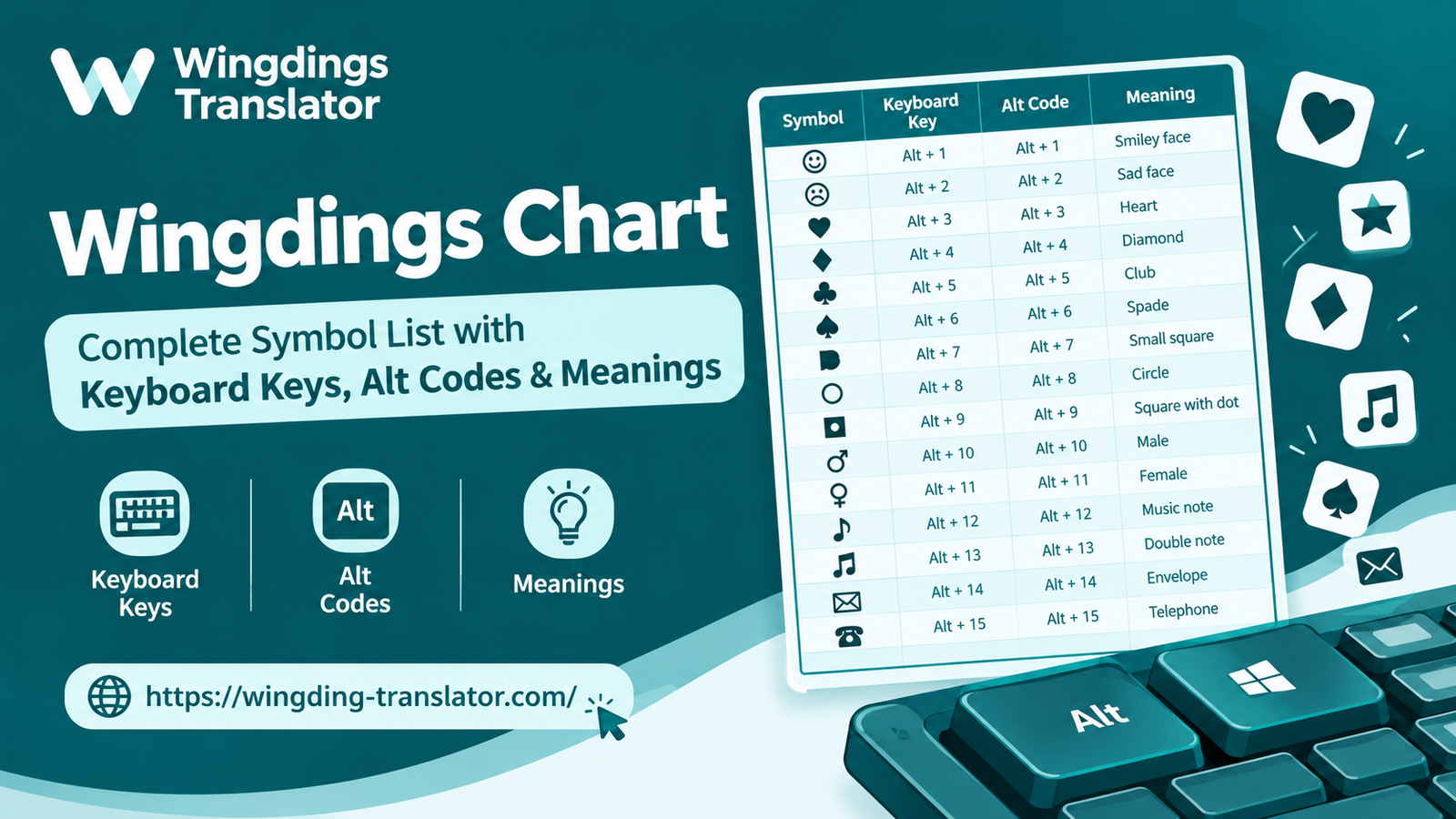
This is the only Wingdings chart you need to bookmark. Every symbol in the Wingdings font is listed here, organized by category, with the keyboard key, Alt code, Unicode equivalent, and a plain-English description. Use it to find any symbol instantly — no guessing required.
How to Read This Chart
Each table row tells you four things:
- Key — the keyboard character you type while Wingdings font is active
- Alt Code — hold Alt + type this number on your numeric keypad (Wingdings font must be selected first)
- Unicode — the cross-platform equivalent you can use anywhere without needing the font
- Description — what the symbol actually looks like
✋ Hand & Gesture Symbols
These are among the most used Wingdings symbols — great for pointing, emphasizing, and reacting.
| Key | Alt Code | Unicode | Description |
|---|---|---|---|
| ? | Alt+0063 | ✍ | Writing hand |
| @ | Alt+0064 | 🖎 | Left writing hand |
| A | Alt+0065 | ✌ | Victory / peace hand |
| B | Alt+0066 | 👌 | OK hand sign |
| C | Alt+0067 | 👍 | Thumbs up |
| D | Alt+0068 | 👎 | Thumbs down |
| E | Alt+0069 | ☜ | Left pointing finger |
| F | Alt+0070 | ☞ | Right pointing finger |
| G | Alt+0071 | ☝ | Up pointing finger |
| H | Alt+0072 | ☟ | Down pointing finger |
| I | Alt+0073 | 🖐 | Open hand / stop |
“Looking for directional arrows? Use our dedicated Wingdings 3 Arrow Translator to convert text to arrows instantly.”
😊 Faces & Emotions
| Key | Alt Code | Unicode | Description |
|---|---|---|---|
| J | Alt+0074 | ☺ | Smiley face (most famous Wingdings symbol) |
| K | Alt+0075 | 😐 | Neutral / straight face |
| L | Alt+0076 | ☹ | Frowning / sad face |
| M | Alt+0077 | 💣 | Bomb |
| N | Alt+0078 | ☠ | Skull and crossbones |
📁 Office & Document Symbols
Perfect for Word documents, presentations, and organizational charts.
| Key | Alt Code | Unicode | Description |
|---|---|---|---|
| ! | Alt+0033 | 🖉 | Pencil |
| “ | Alt+0034 | ✂ | Scissors |
| $ | Alt+0036 | 👓 | Glasses / reading glasses |
| % | Alt+0037 | 🕭 | Bell |
| & | Alt+0038 | 🕮 | Book |
| ‘ | Alt+0039 | 🕯 | Candle |
| ( | Alt+0040 | 🕿 | Telephone (solid) |
| ) | Alt+0041 | ✆ | Telephone handset |
| * | Alt+0042 | 🖂 | Envelope (back) |
| + | Alt+0043 | 🖃 | Envelope (stamped) |
| , | Alt+0044 | 📪 | Closed mailbox, flag down |
| – | Alt+0045 | 📫 | Closed mailbox, flag up |
| 0 | Alt+0048 | 📁 | File folder |
| 1 | Alt+0049 | 📂 | Open file folder |
| 2 | Alt+0050 | 📄 | Document / page |
| 5 | Alt+0053 | 🗄 | File cabinet |
| 6 | Alt+0054 | ⌛ | Hourglass |
| 7 | Alt+0055 | 🖮 | Keyboard |
| : | Alt+0058 | 🖳 | Computer / PC |
| ; | Alt+0059 | 🖴 | Hard disk |
✈ Transport & Travel
| Key | Alt Code | Unicode | Description |
|---|---|---|---|
| Q | Alt+0081 | ✈ | Airplane |
| O | Alt+0079 | 🏳 | Waving white flag |
| P | Alt+0080 | 🏱 | Pennant / flag on pole |
🌤 Weather & Nature
| Key | Alt Code | Unicode | Description |
|---|---|---|---|
| R | Alt+0082 | ☼ | Sun with rays |
| S | Alt+0083 | 💧 | Water droplet |
| T | Alt+0084 | ❄ | Snowflake |
✝ Religious & Cultural Symbols
| Key | Alt Code | Unicode | Description |
|---|---|---|---|
| U | Alt+0085 | 🕆 | Latin cross (outline) |
| V | Alt+0086 | ✞ | Latin cross (shadowed) |
| W | Alt+0087 | 🕈 | Celtic cross |
| X | Alt+0088 | ✠ | Maltese cross |
| Y | Alt+0089 | ✡ | Star of David |
| Z | Alt+0090 | ☪ | Star and crescent |
| [ | Alt+0091 | ☯ | Yin Yang |
| \ | Alt+0092 | ॐ | Om symbol |
| ] | Alt+0093 | ☸ | Wheel of Dharma |
♈ Zodiac Signs (Lowercase Letters)
All 12 zodiac signs are hidden in the lowercase alphabet:
| Key | Alt Code | Unicode | Sign |
|---|---|---|---|
| ^ | Alt+0094 | ♈ | Aries |
| _ | Alt+0095 | ♉ | Taurus |
| ` | Alt+0096 | ♊ | Gemini |
| a | Alt+0097 | ♋ | Cancer |
| b | Alt+0098 | ♌ | Leo |
| c | Alt+0099 | ♍ | Virgo |
| d | Alt+0100 | ♎ | Libra |
| e | Alt+0101 | ♏ | Scorpio |
| f | Alt+0102 | ♐ | Sagittarius |
| g | Alt+0103 | ♑ | Capricorn |
| h | Alt+0104 | ♒ | Aquarius |
| i | Alt+0105 | ♓ | Pisces |
⭕ Shapes & Bullets
Essential for bullet points, lists, and decorative borders in Word and PowerPoint.
| Key | Alt Code | Unicode | Description |
|---|---|---|---|
| l | Alt+0108 | ● | Black circle (large) |
| n | Alt+0110 | ■ | Black square |
| o | Alt+0111 | □ | White square |
| s | Alt+0115 | ⬧ | Black lozenge (medium) |
| t | Alt+0116 | ⧫ | Black lozenge (large) |
| u | Alt+0117 | ◆ | Black diamond |
| v | Alt+0118 | ❖ | Diamond minus white X |
① Circled Numbers (0–10)
Useful for ordered lists with a decorative numbered bullet style.
| Key | Symbol | Key | Symbol |
|---|---|---|---|
| (special) | ⓪ 0 | (special) | ⑥ 6 |
| (special) | ① 1 | (special) | ⑦ 7 |
| (special) | ② 2 | (special) | ⑧ 8 |
| (special) | ③ 3 | (special) | ⑨ 9 |
| (special) | ④ 4 | (special) | ⑩ 10 |
| (special) | ⑤ 5 |
These are accessed via extended ASCII (codes 128–149). Insert them through Insert → Symbol → Wingdings in Word.
★ Stars
| Key | Alt Code | Unicode | Description |
|---|---|---|---|
| « | Alt+0171 | ★ | Black 5-pointed star |
| ¬ | Alt+0172 | ✶ | Six pointed black star |
| | Alt+0173 | ✴ | Eight pointed black star |
| µ | Alt+0181 | ✪ | Circled white star |
| ¶ | Alt+0182 | ✰ | Shadowed white star |
🕐 Clock Faces
All 12 clock positions are available — great for timelines, schedules, and visual calendars.
| Key | Alt Code | Unicode | Time |
|---|---|---|---|
| · | Alt+0183 | 🕐 | 1 o’clock |
| ¸ | Alt+0184 | 🕑 | 2 o’clock |
| ¹ | Alt+0185 | 🕒 | 3 o’clock |
| º | Alt+0186 | 🕓 | 4 o’clock |
| » | Alt+0187 | 🕔 | 5 o’clock |
| ¼ | Alt+0188 | 🕕 | 6 o’clock |
| ½ | Alt+0189 | 🕖 | 7 o’clock |
| ¾ | Alt+0190 | 🕗 | 8 o’clock |
| ¿ | Alt+0191 | 🕘 | 9 o’clock |
| À | Alt+0192 | 🕙 | 10 o’clock |
| Á | Alt+0193 | 🕚 | 11 o’clock |
| Â | Alt+0194 | 🕛 | 12 o’clock |
✔ The Most Searched Wingdings Symbols
These are the symbols people look for most — quick reference:
| Symbol | Key | Alt Code | Unicode | Use Case |
|---|---|---|---|---|
| ✔ Checkmark | ü | Alt+0252 | ✔ U+2714 | To-do lists, approvals |
| ☑ Boxed check | þ | Alt+0254 | 🗹 | Checklists, forms |
| 🗶 Bold X mark | û | Alt+0251 | 🗶 | Rejection, errors |
| ☺ Smiley | J | Alt+0074 | ☺ | Decoration, emotion |
| ★ Star | « | Alt+0171 | ★ | Ratings, highlights |
| ✈ Airplane | Q | Alt+0081 | ✈ | Travel, direction |
| ☞ Right pointer | F | Alt+0070 | ☞ | Emphasis, callouts |
| ❄ Snowflake | T | Alt+0084 | ❄ | Seasonal, decoration |
How to Use This Chart in Word
- Place your cursor where you want the symbol
- Change the font to Wingdings
- Type the Key from the chart above
- Switch back to your regular font for the rest of your text
Faster method: Go to Insert → Symbol → More Symbols, select Wingdings from the font list, and browse visually. Click any symbol to insert it without typing.
For Excel: Change the cell font to Wingdings, then type the key. Or use =CHAR(252) with Wingdings font applied to get a checkmark — useful in formulas.
Arrow Symbols (Quick Reference)
Wingdings has over 40 arrow variants. The most practical ones:
| Keys | Direction | Style |
|---|---|---|
| ï / ð / ñ / ò | ← → ↑ ↓ | White outline arrows |
| × / Ø / Ù / Ú | ← → ↑ ↓ | 3D arrowheads |
| Û / Ü / Ý / Þ | ← → ↑ ↓ | Circled arrows |
For a complete arrow selection, Wingdings 3 is the better choice — it’s dedicated almost entirely to arrow styles.
Pro tip: The Unicode column in this chart lets you use any of these symbols without installing Wingdings at all. Just copy the Unicode character directly — it will display correctly on every device, in every browser, with no font required.
Need to convert full text to Wingdings? Use a Wingdings translator tool to encode or decode entire sentences instantly.