What is Wingdings? Complete Guide to the Font, History & Uses
Have you ever accidentally changed your font to Wingdings and seen your normal text turn into strange symbols like ✡ ♥ ✦ ★? Or maybe you have seen Wingdings symbols in a meme, a puzzle, or an Undertale reference and wondered what it actually is?
Wingdings is a special font created by Microsoft that replaces normal letters with symbols, icons, and pictures. Instead of seeing the letter A when you type it, Wingdings shows a completely different symbol. It is one of the most recognizable fonts in computing history — and one of the most misunderstood.
In this complete guide, you will learn exactly what Wingdings is, where it came from, how it works, and how you can use it today.
What is Wingdings?
Wingdings is a symbol font — also called a dingbat font — that was created by Microsoft in 1990. When you apply the Wingdings font to any text, every letter, number, and punctuation mark is replaced with a symbol or icon.
For example:
- The letter A becomes ✡
- The letter S becomes ♥
- The letter T becomes ♦
Wingdings is not a language. It does not have grammar or meaning. It is simply a font that maps each keyboard key to a specific symbol. The same way that changing your font from Arial to Times New Roman changes how letters look, changing to Wingdings replaces letters with symbols entirely.
Wingdings comes pre-installed on all Windows computers and is also available in many Microsoft Office applications including Word, Excel, and PowerPoint.
History of Wingdings — Where Did It Come From?
Who Created Wingdings?
Wingdings was originally designed by Charles Bigelow and Kris Holmes, a husband-and-wife team of typography experts. They first created three separate fonts in 1990 called Lucida Icons, Lucida Arrows, and Lucida Stars — designed to work alongside their popular Lucida text font.
Microsoft saw the value in these symbol fonts and combined all three into a single font. They renamed it Wingdings — a combination of Wingdows (Windows), dingbats (the printing term for symbol characters), and the word “wingding” which means a lively party or celebration.
Microsoft officially released Wingdings with Windows 3.1 in 1992, and it has been included in every version of Windows ever since.
Why Was Wingdings Created?
In the early 1990s, the internet was not widely available and computers had very limited ways to add images to documents. Images were large files that slowed computers down, and resizing them made them look blurry and pixelated.
Wingdings solved this problem by turning symbols into font characters. Because they were part of a font, the symbols were:
- Small in file size — no large image files needed
- Crisp at any size — they scaled perfectly like any other text
- Easy to insert — just type a letter on the keyboard
- Available everywhere — no internet or image download required
This made Wingdings incredibly useful before emojis existed. It was essentially the emoji of the 1990s — a quick way to add visual symbols to written communication.
How Does Wingdings Work?
Wingdings works through a process called font mapping. Every font on your computer maps keyboard characters to specific letter shapes. Normal fonts like Arial map the letter A to the shape “A.” Wingdings maps the letter A to the symbol ✡.
When you type text and then change the font to Wingdings, your computer does not change the actual letters — it only changes how they are displayed. The underlying text is still “Hello” but the font makes it appear as symbols.
This is why you cannot just type Wingdings symbols in a text message or email and expect them to show up correctly on another device. If the other person does not have the Wingdings font installed, they will see random characters or boxes instead of the intended symbols.
To share Wingdings symbols reliably, you should use an online Wingdings translator like ours, which converts letters to their Unicode-compatible symbol equivalents that display correctly on any device.
All Versions of Wingdings — What is the Difference?
Microsoft released three versions of Wingdings plus a related font called Webdings. Each version has its own unique set of symbols.
Wingdings 1 (Original)
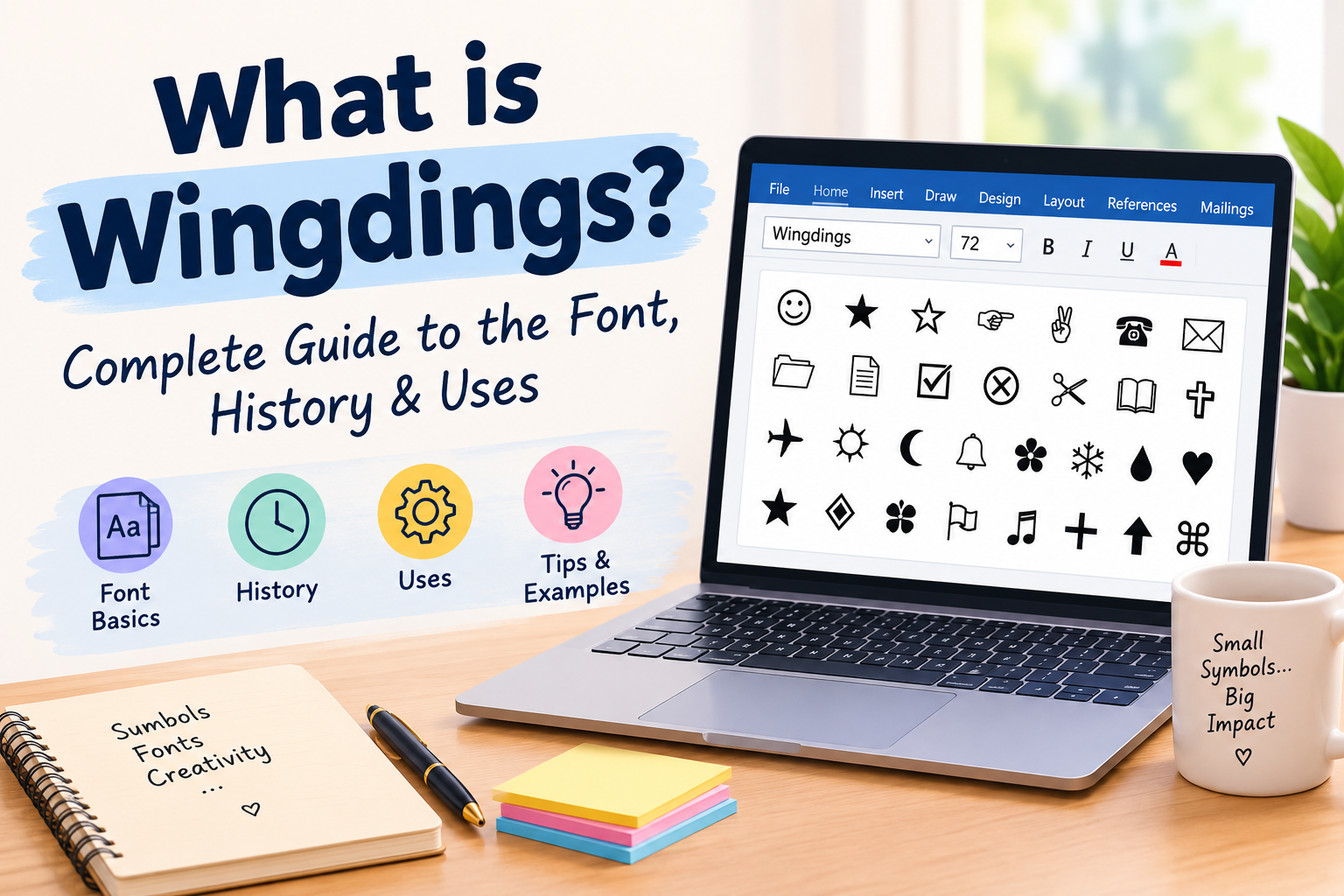
The original and most famous version. Released with Windows 3.1 in 1992. Contains 224 symbols including:
- Hands and pointing fingers
- Stars and geometric shapes
- Smiley faces and emoticons
- Religious symbols and zodiac signs
- Office items like scissors, phones, and envelopes
- Check marks, crosses, and bullets
This is the version most people mean when they say “Wingdings.”
Wingdings 2
An extended version released with Microsoft Office. Contains:
- 16 different index/pointing hand styles
- Numbers 0–10 inside circles (①②③)
- More geometric shapes
- Multiple ampersand styles
- An asterism symbol (⁂)
Wingdings 3
Focused almost entirely on arrows and direction symbols. Contains:
- Arrows pointing in every direction
- Keyboard navigation symbols
- Triangles and chevrons
- Symbols based on ISO/IEC 9995-7 standard
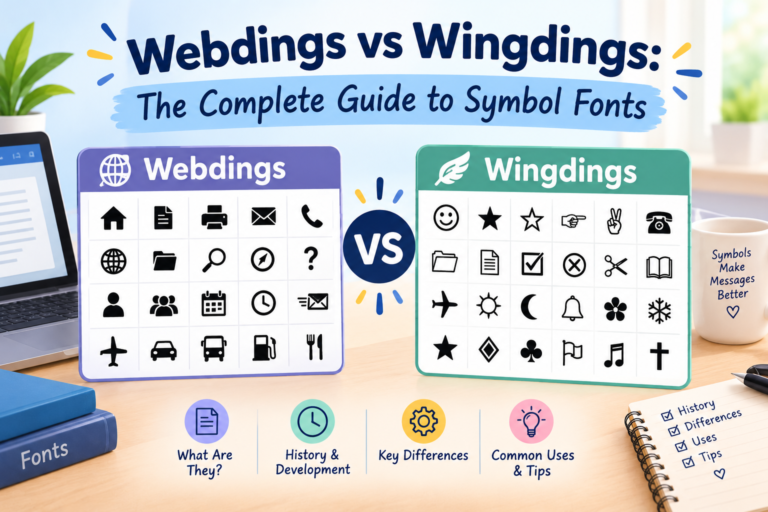
Webdings
A separate but related font released in 1997 for web design. Includes more modern icons like:
- Web and internet symbols
- Transportation icons (planes, cars, ships)
- Nature symbols
- The famous “I ❤ NY” style symbols (type “NYC” in Webdings to see eye, heart, and city)
What Are Wingdings Used For?
Even though Wingdings is over 30 years old, people still use it today for many different purposes.
1. Secret Messages and Puzzles
The most popular use of Wingdings today is creating secret messages that only someone with a translator can decode. You can type a message, convert it to Wingdings symbols, and share it as a fun puzzle for friends to solve. This is especially popular in online communities, Discord servers, and social media.
2. Bullet Points and Document Design
Before word processors had built-in symbol libraries, Wingdings was the easiest way to add decorative bullet points to documents. Many people still use Wingdings check marks (✔), stars (★), and arrows (→) as bullet points in Word documents and presentations.
3. Check Marks in Microsoft Word
One of the most common practical uses is inserting a check mark (✔) into a Word document using Wingdings. This became so common in the 1990s and 2000s that many people still search for how to do it today.
4. Creative Designs and Invitations
Designers use Wingdings symbols as decorative elements in printed materials. Stars, hearts, and ornamental symbols from Wingdings are used in wedding invitations, greeting cards, and event posters.
5. Gaming and Pop Culture
Wingdings became massively popular in gaming culture because of the indie game Undertale (2015). The mysterious character W.D. Gaster communicates entirely in Wingdings symbols. This introduced Wingdings to a whole new generation of users and is why many young people discover it today.
6. Memes and Internet Culture
Wingdings conspiracy theories — especially the Q33 NY hoax — made the font famous on the internet. Many viral posts, memes, and social media trends have involved Wingdings over the years.
The Wingdings Conspiracy Theories
Wingdings has been at the center of two famous internet conspiracy theories.
The NYC Conspiracy (1992)
Just days after Windows 3.1 was released in 1992, people noticed that typing “NYC” in Wingdings produced: skull and crossbones, Star of David, and thumbs up. This sparked claims that Microsoft had hidden an antisemitic message in the font. Microsoft denied this strongly and insisted the arrangement of symbols was random. To counter this, they later made the Webdings version of “NYC” spell out eye, heart, city — as in “I Love New York.”
The Q33 NY Hoax (2001)
After the September 11, 2001 attacks, an email chain claimed that typing “Q33 NY” (supposedly the flight number of one of the planes) in Wingdings produced: a plane, two towers, a skull, and a Star of David. This spread widely online. However, it was completely false — the actual flight numbers were AA11 and UA175, not Q33 NY. The sequence was fabricated specifically to produce that symbol combination by someone who worked backwards from the symbols they wanted to show.
These theories persist because Wingdings has 224 symbols, and if you try enough combinations, you can find “meaningful” patterns in almost any text.
Is Wingdings Still Relevant Today?
Yes — but its role has changed. When Wingdings was created in 1990, there were no emojis, no built-in icon sets, and adding images to documents was difficult. Wingdings filled that gap.
Today, emojis and Unicode symbols have replaced Wingdings for most everyday communication. However, Wingdings is still:
- Pre-installed on all Windows computers — it has never been removed
- Available in Microsoft Office — Word, Excel, PowerPoint all support it
- Used for document design — check marks, bullets, and decorative elements
- Popular in gaming and internet culture — especially Undertale fans
- Used for fun and puzzles — secret messages and coded text
Wingdings vs Emojis — What is the Difference?
Many people compare Wingdings to emojis because both use pictures instead of words. But they work very differently.
| Wingdings | Emojis | |
|---|---|---|
| How it works | Font — replaces letters | Unicode characters — built into text |
| Cross-platform | No — needs font installed | Yes — works everywhere |
| Created | 1990 by Microsoft | 1999 in Japan, global from 2010 |
| Colors | Black and white only | Full color |
| Number of symbols | 224 (across all versions) | 3,600+ and growing |
| Mobile support | Limited | Full support |
The biggest difference is that emojis are Unicode characters — they are part of the text encoding system itself, so they display correctly everywhere. Wingdings symbols only show correctly if the Wingdings font is installed on the device.
This is why our Wingdings translator converts symbols to their Unicode equivalents — so they display correctly on any device without needing the font installed.
How to Translate Wingdings
There are two ways to translate Wingdings:
1. Use Our Free Wingdings Translator Tool
The easiest way is to use our free online tool at wingding-translator.com. Simply:
- Type or paste your text into the input box
- The tool instantly converts it to Wingdings symbols
- Click Copy to copy the result
- Paste it anywhere you want
Our tool also works in reverse — paste Wingdings symbols and decode them back to English. It supports Wingdings 1, Wingdings 2, Wingdings 3, and Webdings.
2. Use the Wingdings Chart Manually
Each letter maps to a specific Wingdings symbol. You can use our Wingdings Alphabet Chart to manually encode or decode short messages.
Frequently Asked Questions
What is Wingdings used for?
Wingdings is used for creating secret messages and puzzles, adding decorative symbols and bullet points to documents, check marks in Microsoft Word, creative design work, and fun internet content. It is also very popular in gaming communities — especially Undertale fans.
Is Wingdings a real language?
No. Wingdings is not a language. It is a font that replaces normal letters with symbols. It has no grammar, no vocabulary, and no meaning of its own. The symbols do not represent words or ideas — they are purely decorative.
Who invented Wingdings?
Wingdings was designed by Charles Bigelow and Kris Holmes in 1990. They originally created it as three separate fonts called Lucida Icons, Lucida Arrows, and Lucida Stars. Microsoft purchased the rights and combined them into the single Wingdings font, releasing it with Windows 3.1 in 1992.
Why is it called Wingdings?
The name Wingdings comes from combining Windows (Wing), dingbats (dings) — an old printing term for decorative symbols — and the word wingding which means a lively party or celebration.
Does Wingdings work on iPhone and Android?
Wingdings is not installed on iPhone or Android by default, which means Wingdings text will not display correctly on most mobile devices. However, you can use our online translator to convert text to Unicode-compatible symbols that work on all devices.
Is Wingdings the same as Webdings?
No. Wingdings and Webdings are two different fonts. Wingdings was released in 1992. Webdings was released in 1997 and was designed specifically for web use. Both are dingbat fonts that replace letters with symbols, but their symbol sets are completely different.
Can you type Wingdings on a keyboard?
Yes — on a Windows computer, you can select Wingdings as your font in any application and then type normally. Each key will produce the corresponding Wingdings symbol. However, the easiest way to use Wingdings on any device is to use our free Wingdings Translator.
What is Q33 NY in Wingdings?
Q33 NY is a famous internet hoax from 2001. People claimed it was the flight number of a September 11 plane and that typing it in Wingdings produced a plane, towers, skull, and Star of David. This was false — the real flight numbers were AA11 and UA175, and Q33 NY was fabricated specifically to create that symbol combination.
Related Tools on Our Website
- Wingdings Translator — Convert any text to Wingdings symbols instantly
- Wingdings Alphabet Chart — Full A–Z symbol reference chart
- Wingdings Keyboard — Learn how to type Wingdings on any device
- Wingdings Font Download — Download Wingdings for Windows and Mac
- Wingdings Translator from Image — Upload an image to decode Wingdings symbols
- Wingdings Font for Minecraft — Convert text to Minecraft enchanting table language