Cool Wingdings Symbols for Discord & Bios ✨ Copy & Paste
In a sea of standard fonts and repetitive emojis, standing out on social media can be tough. Whether you are customizing your Discord server channels, designing an aesthetic Instagram bio, leveling up your TikTok profile, or decorating your Steam gamer tag, standard text just doesn’t cut it.
That’s where Wingdings symbols come in.
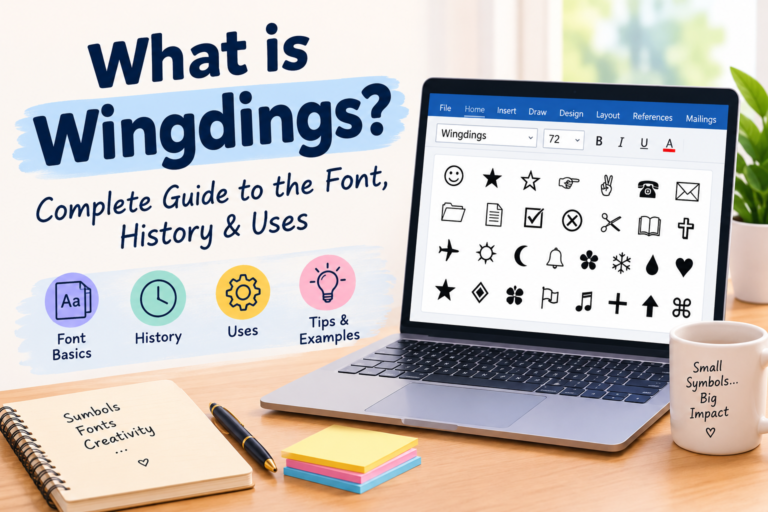
Originally created by Microsoft in the 1990s as a fun icon-based dingbat font, Wingdings has had a massive resurgence across modern internet culture. From vintage retro icons and celestial star patterns to cryptic gothic glyphs, these symbols give your profile an instant visual upgrade.
Below, we have organized the coolest Wingdings symbols into ready-to-use aesthetic categories so you can easily copy and paste them straight into your bios, statuses, and channel names!
Want to Convert Your Whole Name into Wingdings?
If you want to turn your entire username, custom status, or message into symbols, you don’t need to copy characters one by one. Use our free Wingdings Translator to convert words and full sentences into universal Unicode symbols instantly!
1. Aesthetic Stars, Sparkles & Celestial Glyphs
Perfect for dreamcore, soft-grunge, and celestial-themed bios on Instagram, Pinterest, and Discord.
| Symbol | Description | Copy Box |
|---|---|---|
| ☼ | Sun with Rays | ☼ |
| ❄ | Detailed Snowflake | ❄ |
| ★ | Solid Five-Pointed Star | ★ |
| ✦ | Four-Pointed Sparkle Star | ✦ |
| ✶ | Six-Pointed Starburst | ✶ |
| ✹ | Glowing Sunburst Flare | ✹ |
| ✵ | Eight-Pointed Star | ✵ |
| ✰ | Outlined Shadow Star | ✰ |
| ⟡ | Diamond Sparkle | ⟡ |
| ⌑ | Square Star Glyph | ⌑ |
Bio Combo Idea:
✦ ━━━━━━━━━━━━ ✦☼ daydreaming in the stars ☼✦ ━━━━━━━━━━━━ ✦
2. Zodiac & Astrology Signs
Wingdings 1 contains the complete set of classic astrological zodiac symbols. These look sleek in Twitter/X names, TikTok bios, and Discord role tags:
- ♈︎ Aries (The Ram):
♈︎ - ♉︎ Taurus (The Bull):
♉︎ - ♊︎ Gemini (The Twins):
♊︎ - ♋︎ Cancer (The Crab):
♋︎ - ♌︎ Leo (The Lion):
♌︎ - ♍︎ Virgo (The Maiden):
♍︎ - ♎︎ Libra (The Scales):
♎︎ - ♏︎ Scorpio (The Scorpion):
♏︎ - ♐︎ Sagittarius (The Archer):
♐︎ - ♑︎ Capricorn (The Sea-Goat):
♑︎ - ♒︎ Aquarius (The Water-Bearer):
♒︎ - ♓︎ Pisces (The Fish):
♓︎
3. Dark Aesthetic, Gothic & Edgy Glyphs
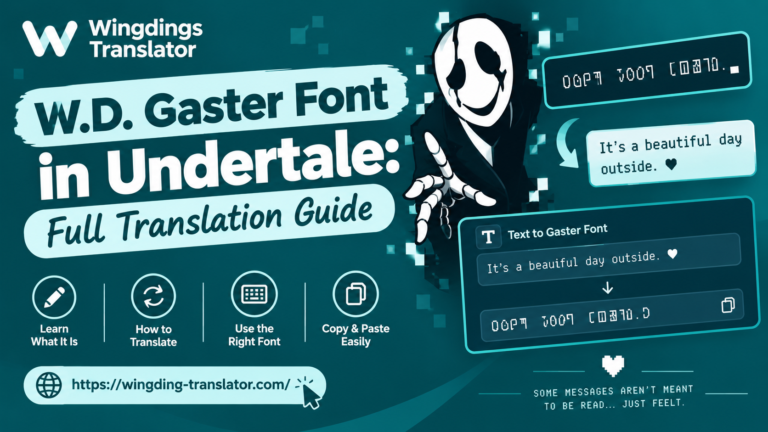
If you run an edgy gaming clan, an ARG mystery server, or an Undertale / Deltarune fan page, these cryptic symbols are a staple:
| Symbol | Meaning / Vibe | Copy |
|---|---|---|
| ☠︎ | Skull & Crossbones (Poison / Hazard) | ☠︎ |
| 💣︎ | Retro Cartoon Bomb | 💣︎ |
| ✠ | Maltese Cross (Gothic Knight) | ✠ |
| ⌧ | Square X (Corrupted / Deleted) | ⌧ |
| ⌘ | Command / Looped Square | ⌘ |
| 💧︎ | Dark Droplet / Tear | 💧︎ |
| 😐︎ | Neutral Face (Unbothered) | 😐︎ |
| ☹︎ | Melancholy Frown | ☹︎ |
Bio Combo Idea:
☠︎ [ D N D ] ☠︎lost in the void ⌧ shattered across space
4. Pointing Hands & Arrows (Best for “Link in Bio” & Channel Dividers)
Looking to direct followers to your store, SoundCloud, or Twitch stream? Pointing hand signs and arrows are the best call-to-action indicators:
- Pointing Right:
☞︎or➔︎or➢︎ - Pointing Left:
☜︎or⇦︎ - Pointing Up:
☝︎or⇧︎ - Pointing Down (Great for Link in Bio):
☟︎or⇩︎ - Victory / Peace Sign:
✌︎ - OK Sign:
👌︎ - Thumbs Up:
👍︎
Instagram Bio Idea:
designer & music curator 🎧check out the new drop ☟[yourlink.com]
5. Retro Tech, Office & Nostalgia Icons
Give your Discord channels that distinct 90s aesthetic or organize your server roles with vintage icons:
- 📁 Folder:
📁︎ - 📂 Open Folder:
📂︎ - 📄 Document:
📄︎ - 🗄 Filing Cabinet:
🗄︎ - ⌛ Hourglass (Loading / Idle):
⌛︎ - 🖮 Retro Keyboard:
🖮︎ - 🖰 Computer Mouse:
🖰︎ - 🖳 Desktop PC Monitor:
🖳︎ - 🕯 Burning Candle:
🕯︎ - 🕿 Rotary Telephone:
🕿︎ - 🖂 Envelope / Mail:
🖂︎ - ✈ Airplane:
✈︎
How to Use Wingdings on Discord (Step-by-Step)
Discord is one of the most popular places to use Wingdings symbols. Here is how to use them across your profile and servers:
1. In Discord Channel Names
Discord doesn’t allow regular spaces or capital letters in text channel names, but it does allow Unicode Wingdings symbols!
- Copy the symbol you like (e.g.,
✦or📁︎). - Right-click your Discord channel and click Edit Channel.
- Paste the symbol at the start of the channel name (e.g.,
✦-announcementsor📂-rules). - Click Save Changes.
2. In Server Roles
Add aesthetic badges to your server roles by pasting symbols directly into the Role Name in Server Settings > Roles.
3. In Custom Status & Bio
Open your Discord profile settings, click Edit Profile, and paste your symbols into the “About Me” box or custom status bar.
How to Paste Wingdings into Instagram & TikTok Bios
- Highlight any symbol from the tables above.
- Tap Copy on your smartphone.
- Open the Instagram or TikTok app and go to your profile.
- Tap Edit Profile.
- Tap into the Bio or Name field and tap Paste.
- Tap Done to save your changes.
Tip: If you are also looking for modern emoji translations, check out our Wingdings Emoji Translator to blend classic dingbats with contemporary emojis seamlessly!
Frequently Asked Questions
Why do some symbols look black and white on PC but colored on phones?
Different operating systems render symbols differently. Windows often displays dingbats as monochrome flat icons, whereas iOS (iPhone) and Android may render specific characters (like snowflakes ❄ or skulls ☠) as full-color emojis based on their Unicode font rendering engine.
Can everyone see these symbols on their phones?
Yes! Because all the characters in this list are standardized Unicode characters, they are universally supported by modern web browsers, iPhones, Android devices, Macs, and Windows PCs. No extra fonts need to be downloaded.
What if I want an entire message encoded?
Simply visit our Wingdings Translator, type in your message, and hit copy. It automatically encodes your text using the official Microsoft Wingdings character map!
Conclusion
Whether you want to add a clean divider to your Discord channels, build a mysterious aesthetic bio, or point followers to your links, Wingdings symbols provide an effortless way to upgrade your digital presence.
Bookmark this page whenever you need quick symbols, or head over to our Wingdings Keyboard Guide and Full Alphabet Chart for even more symbols!