Webdings vs Wingdings: The Complete Guide to Symbol Fonts (2026)
If you’ve ever opened Microsoft Word and stumbled upon a font that turns your text into a string of mysterious symbols — congratulations, you’ve met Wingdings or Webdings. These two fonts have puzzled users, sparked conspiracy theories, and quietly shaped the history of digital communication for over three decades.
In this complete guide, we’ll break down everything you need to know: where these fonts came from, how they differ, when to use them, and why they still matter today.
Table of Contents
What Are Symbol Fonts?
Before diving into the Wingdings vs Webdings debate, it helps to understand what a symbol font (also called a dingbat font) actually is.
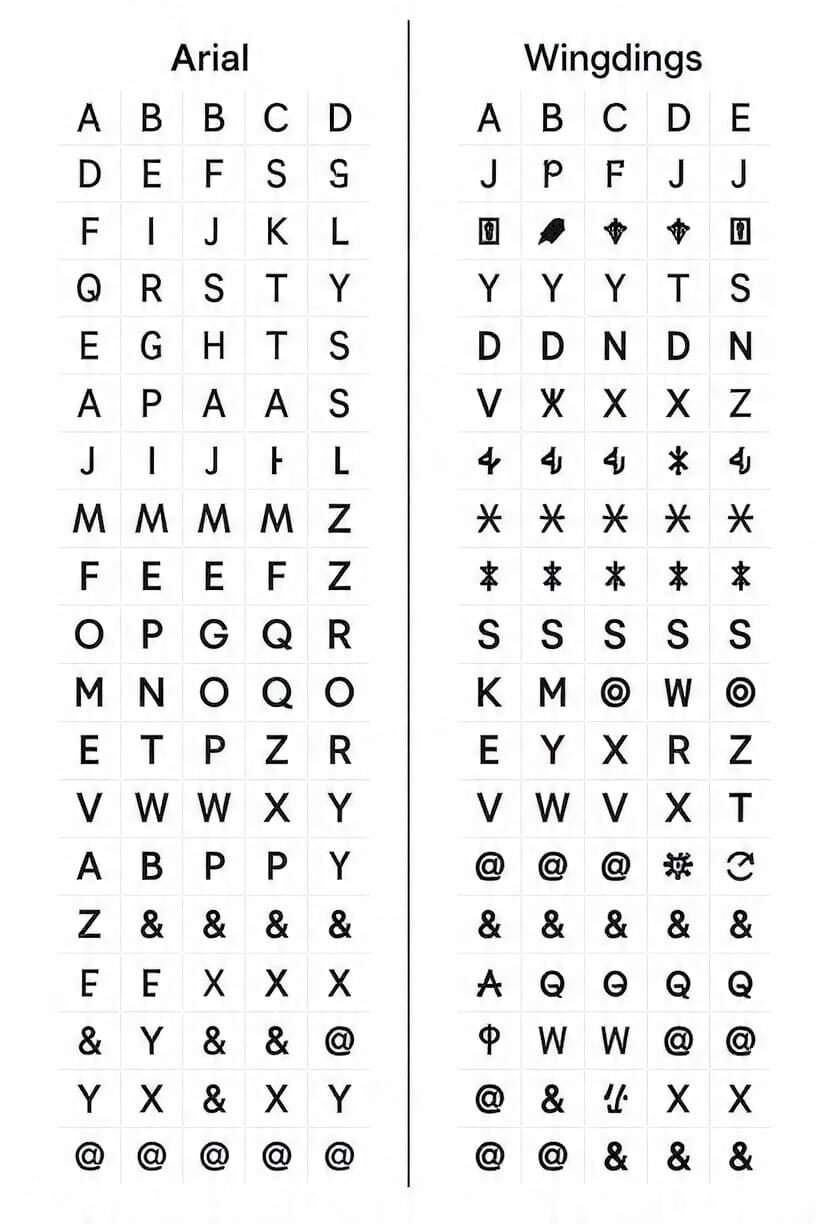
In a normal font like Arial or Times New Roman, each key on your keyboard maps to a letter, number, or punctuation mark. In a dingbat font, every key maps to a picture or symbol instead. Press “A” and you might get an arrow. Press “B” and you get a house icon.
The term “dingbat” comes from the printing industry, where small decorative elements were used to fill space or decorate pages. Digital dingbat fonts brought this idea into the computer age — allowing designers to use scalable, lightweight symbols without embedding heavy image files.
Wingdings and Webdings are the two most well-known dingbat fonts in existence, largely because Microsoft bundled them with Windows for decades.
What Is Wingdings?
Origin and History
Wingdings was created in 1990 by typographers Charles Bigelow and Kris Holmes of Bigelow & Holmes foundry — the same designers behind the acclaimed Lucida font family. They originally developed three pictorial symbol fonts, and Microsoft licensed them and packaged them together under the name “Wingdings” — a portmanteau of Windows and Dingbats.
Microsoft began bundling Wingdings with Windows 3.1 in 1992, instantly making it one of the most widely distributed fonts in the world. In an era before clipart was easy to access and before images loaded reliably on screen, Wingdings filled a genuine need: clean, scalable icons that worked anywhere text worked.
What Does Wingdings Look Like?
Wingdings contains a wide mix of symbols across several categories:
- Hand and body gestures (pointing fingers, thumbs up/down)
- Astronomical symbols (sun, moon, stars, planets)
- Religious and cultural symbols (cross, Star of David, yin-yang)
- Office and document icons (scissors, phone, envelope)
- Arrows and navigation symbols
- Playing card suits (♠ ♣ ♥ ♦)
- Decorative flourishes and borders
The Wingdings Family
Unlike Webdings, Wingdings eventually grew into an entire font family:
| Font | Released | Notes |
|---|---|---|
| Wingdings | 1990 | The original — 224 symbols |
| Wingdings 2 | 1992 | More arrows, bullets, and checkboxes |
| Wingdings 3 | 1992 | Heavier emphasis on arrows and geometric shapes |
This expanded family gives Wingdings a significantly wider symbol vocabulary than Webdings.
What Is Webdings?
Origin and History
Webdings arrived in 1997, created as a collaboration between Microsoft, Adobe, Netscape, and Agfa Monotype. One of its key contributors was Vincent Connare — the designer also known for creating Comic Sans.
The font debuted with Internet Explorer 4 and was designed specifically for the early web. In 1997, the internet was exploding in popularity, but web technology was primitive by today’s standards. Images were slow to load, browser support for graphics was inconsistent, and file sizes had to be kept small. Webdings offered a clever solution: use font characters as icons. Since text was always fast to load, web designers could insert Webdings symbols and get crisp, scalable icons at virtually no performance cost.
What Does Webdings Look Like?
Webdings symbols are generally more functional and UI-oriented than Wingdings. The collection includes:
- Web and interface icons (computer monitor, globe, mouse cursor)
- Media controls (play, pause, stop, rewind buttons)
- Communication symbols (phone, mail, chat)
- Navigation and transport (car, airplane, bicycle, ship)
- Nature and environment (sun, tree, cloud, wave)
- Geometric shapes and arrows
The design philosophy behind Webdings was practical: these are symbols a web developer or UI designer would actually need, styled to work cleanly at small sizes on screen.
Webdings vs Wingdings: Key Differences
Here’s the full breakdown at a glance:
| Feature | Wingdings | Webdings |
|---|---|---|
| Year Created | 1990 | 1997 |
| Created By | Bigelow & Holmes (licensed by Microsoft) | Microsoft, Adobe, Netscape, Agfa Monotype |
| Notable Designer | Charles Bigelow & Kris Holmes | Vincent Connare (also of Comic Sans fame) |
| Originally Bundled With | Windows 3.1 (1992) | Internet Explorer 4 (1997) |
| Primary Purpose | General document decoration and icons | Web design and UI icon replacement |
| Symbol Style | Decorative, diverse, eclectic | Functional, clean, web-oriented |
| Font Variants | Wingdings, Wingdings 2, Wingdings 3 | Webdings only (one version) |
| Total Symbols | ~672 (across all three variants) | ~224 |
| Unicode Compatible? | No | Partially (some symbols added to Unicode later) |
| Still in Windows? | Yes | Yes |
| Still in macOS? | Partially (limited) | No |
| Best Use Today | Microsoft Office, legacy print documents | Legacy web content only |
The Bottom Line
Think of it this way: Wingdings is the all-rounder with a richer, more diverse symbol library, while Webdings is the specialist — purpose-built for a specific era of web design that has since passed.
Full Character Comparison Table
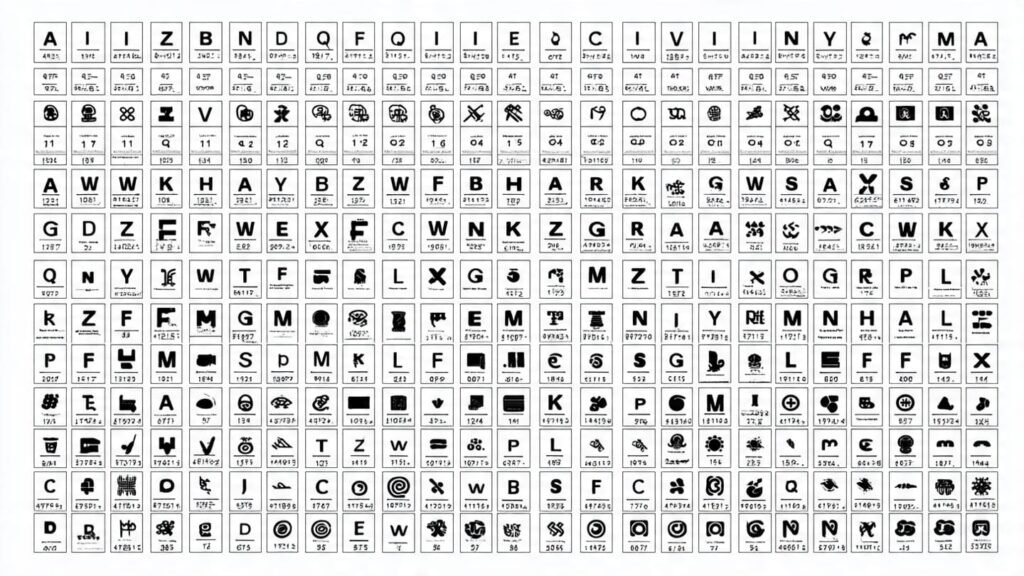
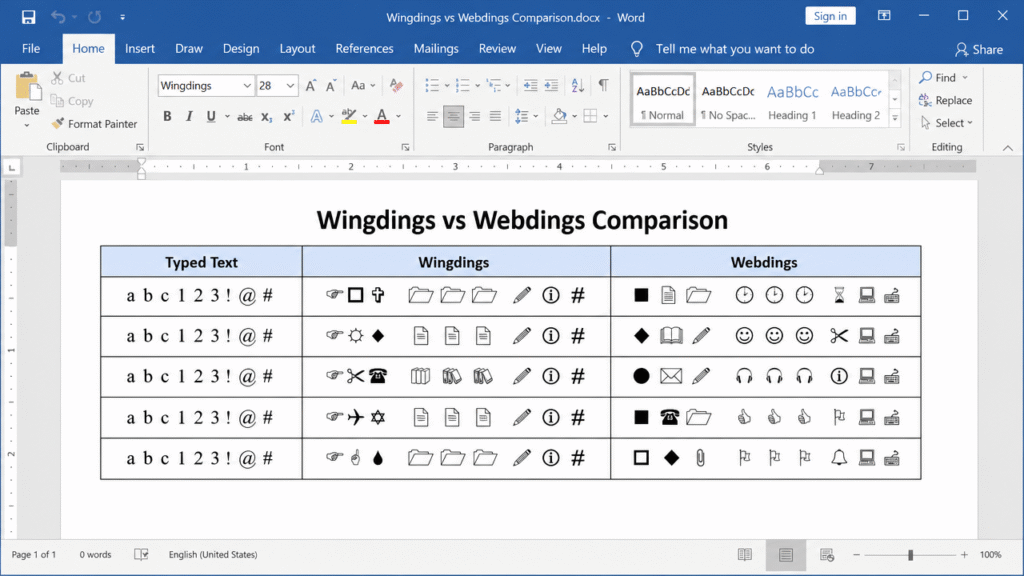
To make it concrete, here’s how the same keyboard keys map to different symbols in each font:
| Key | Wingdings | Webdings |
|---|---|---|
| A | ✏ (Pencil/pointer) | → (Right arrow) |
| B | ✂ (Scissors) | 🏠 (House) |
| C | ✁ (Cutting line) | 📁 (Folder) |
| D | ✈ (Airplane) | 💬 (Chat/speech bubble) |
| E | ✉ (Envelope) | ✉ (Email) |
| F | 📞 (Telephone) | 🔍 (Magnifying glass) |
| G | 📋 (Clipboard) | 🖨 (Printer) |
| H | ⌚ (Watch) | 💡 (Lightbulb) |
| I | 🕐 (Clock) | 📝 (Document) |
| J | 😊 (Smiley face) | 😊 (Smiley face) |
| K | 😐 (Neutral face) | 😟 (Sad face) |
| L | 😞 (Frowning face) | 🗑 (Trash/delete) |
Note: The Unicode representations above are approximations. The actual rendered symbols depend on your operating system having the fonts installed, which is why these fonts were always platform-dependent.
The Famous Wingdings NYC Conspiracy
No article about Wingdings is complete without addressing one of the internet’s earliest viral mysteries.
What Happened in 1992?
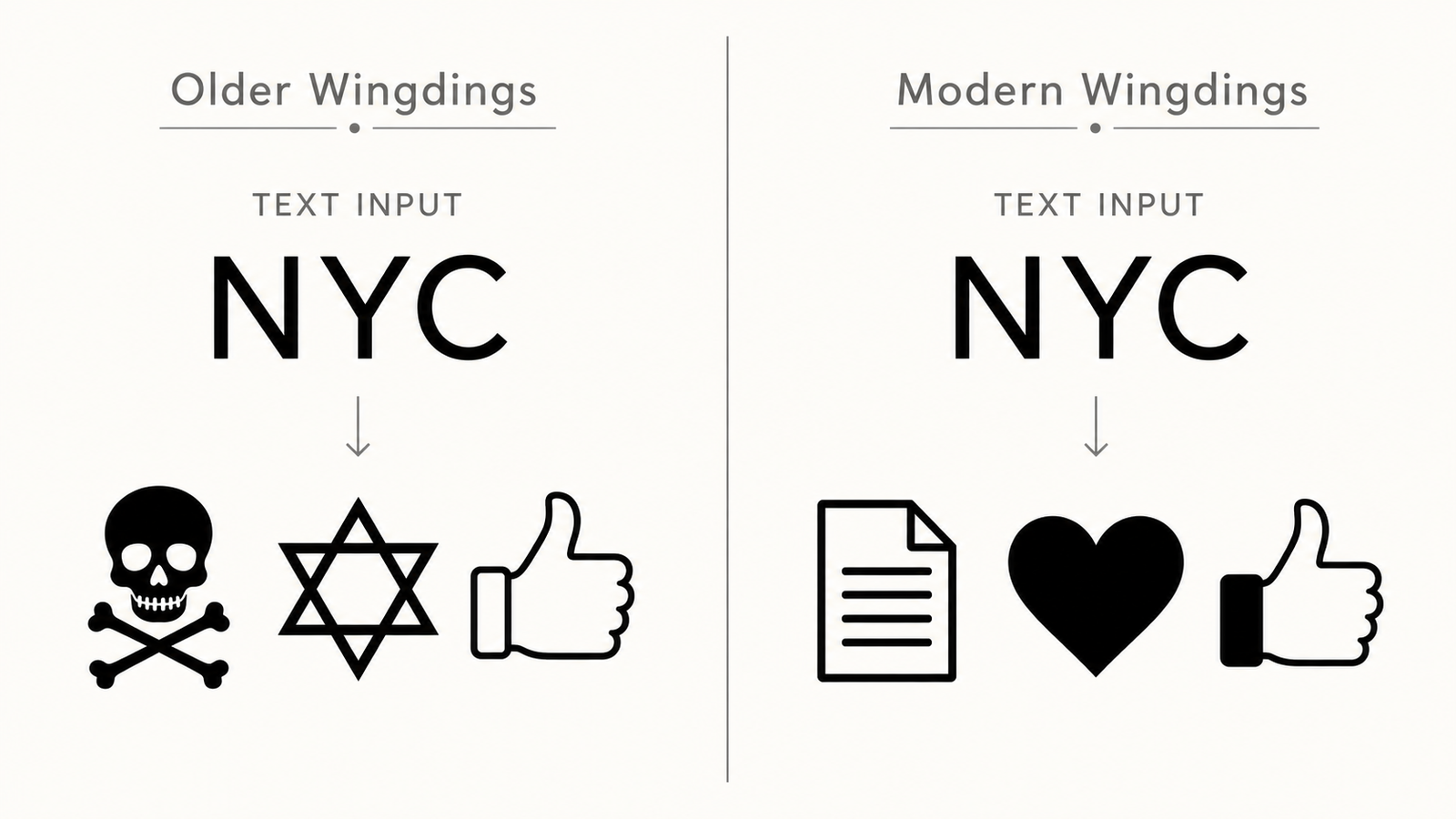
Shortly after Microsoft bundled Wingdings with Windows 3.1, users discovered something disturbing: typing the three letters “NYC” in Wingdings produced the following sequence of symbols:
- 💀 (Skull and crossbones)
- ✡ (Star of David)
- 👍 (Thumbs up)
The combination sparked immediate outrage. Critics accused Microsoft of encoding an antisemitic message — interpreting the sequence as “kill Jews” or a similar hateful statement. The controversy erupted in newspapers and was taken seriously enough that Microsoft directly addressed it, insisting the symbol mapping was entirely coincidental.
Why Did It Happen?
The truth is mundane: Wingdings maps each character to a symbol based on an internal encoding table — there was no intentional sequencing. The characters N, Y, and C happen to fall near a skull, a Star of David, and a thumbs-up in the font’s internal order. With 224 symbols and 26 letters available, random combinations will sometimes produce meaningful-looking sequences.
Microsoft’s Response
To put the controversy to rest, Microsoft reordered the character mapping in the Wingdings included with later Windows versions, specifically ensuring “NYC” no longer produced that sequence. However, the story lived on and is still frequently cited as an example of how pattern-seeking humans can find meaning in randomness.
Wingdings in Pop Culture and Gaming
Wingdings has had a surprisingly long cultural afterlife beyond office documents.
Undertale (2015)
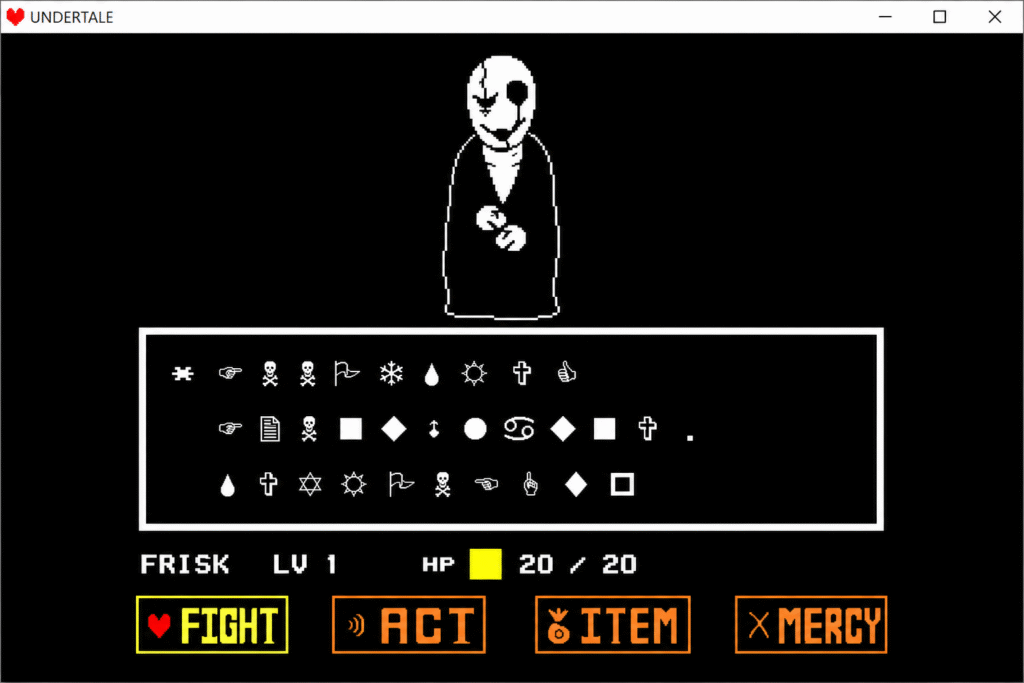
In Toby Fox’s indie RPG Undertale, the mysterious character W.D. Gaster communicates using a font based on Wingdings — adding to his enigmatic, hidden nature within the game’s lore. When fans discovered this, it sparked years of fan theories and made Wingdings briefly relevant to an entirely new generation. The “W.D.” in Gaster’s name is widely believed to stand for “Wingdings.”
Cipher Puzzles and ARGs
Because Wingdings maps letters to symbols in a consistent (if non-standard) way, it has become a popular tool for puzzle designers in alternate reality games (ARGs), escape rooms, and online mystery communities. Hiding a message in Wingdings is simple enough for casual use but unfamiliar enough to feel cryptic.
Gravity Falls
The animated series Gravity Falls used various cipher fonts — including Wingdings — in its background imagery and end-credits codes, encouraging fans to decode hidden messages throughout the show’s run.
How to Use These Fonts Today
In Microsoft Word
- Select the text you want to convert to symbols
- In the Font dropdown, type Wingdings or Webdings
- Your text will immediately display as symbols
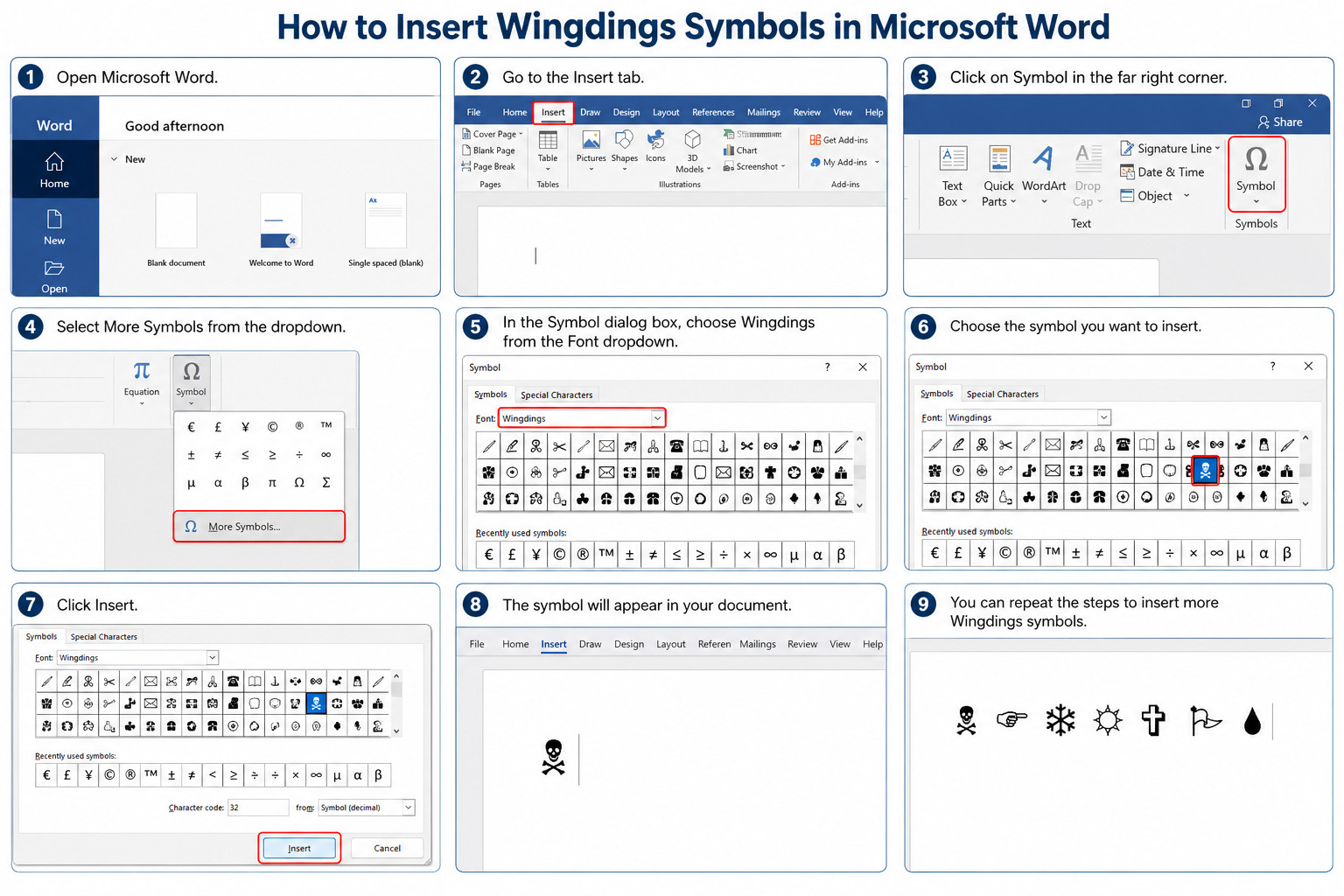
- To find specific symbols, go to Insert → Symbol → More Symbols and choose Wingdings or Webdings from the font list
In Microsoft Excel and PowerPoint
The same method applies — select text or a cell and change the font to Wingdings/Webdings. This is especially useful for creating custom bullet points or checkboxes in spreadsheets.
In HTML/CSS (Legacy Web Use)
In older web code, you may encounter Webdings used like this:
<span style="font-family: Webdings;">F</span>This renders a specific Webdings symbol in supporting browsers. However, this is strongly discouraged for new projects — it only works on Windows systems with the font installed, and screen readers cannot interpret the meaning of these characters.
Creating a Wingdings Decoder
If you need to translate existing Wingdings text back to readable letters, you need a character map or an online Wingdings translator. Each symbol corresponds to a specific key — but the mapping is not intuitive, so a tool is essential.
Are Webdings and Wingdings Still Relevant?
Honestly? For most modern projects — no. Here’s why:
The Problems with Both Fonts
1. Platform dependency
Neither font is guaranteed to render correctly outside of Windows. On macOS, Android, and most Linux systems, Wingdings and Webdings text appears as blank boxes or random characters. This makes them completely unreliable for any shared or cross-platform content.
2. No Unicode compatibility
These fonts use proprietary encoding that predates Unicode standardization. This means copy-pasting Wingdings text between applications often produces garbled output, and the symbols are not searchable or accessible to screen readers.
3. Accessibility failures
Screen readers (used by visually impaired users) cannot interpret Wingdings symbols — they either read out the underlying letter (confusingly) or skip the character entirely. Using these fonts in any public-facing content creates serious accessibility problems.
4. Web incompatibility
Modern websites cannot rely on users having these fonts installed. Web fonts must be explicitly embedded, and no legitimate web project embeds Wingdings as a web font.
Where They Still Have a Place
Despite all that, there are still valid use cases for these fonts in 2025:
- Microsoft Word documents intended only for Windows users
- Legacy document maintenance — editing old files that already use these fonts
- Print design where cross-platform rendering isn’t a concern
- Novelty or decorative purposes (party invitations, themed designs, etc.)
- Custom bullet points in internal company presentations
Better Modern Alternatives
If you’re starting a new project and need icons or symbols, here are far better options:
For Web and App Design
| Alternative | What It Is | Best For |
|---|---|---|
| Emoji (Unicode) | Built into every modern OS | Casual content, social media |
| Font Awesome | Free icon font (6,000+ icons) | Web projects, apps |
| Google Material Icons | Google’s open-source icon set | Web and Android apps |
| Heroicons | Open-source SVG icons | Tailwind CSS projects |
| Feather Icons | Minimal, open-source SVG set | Clean UI design |
For Documents
| Alternative | What It Is | Best For |
|---|---|---|
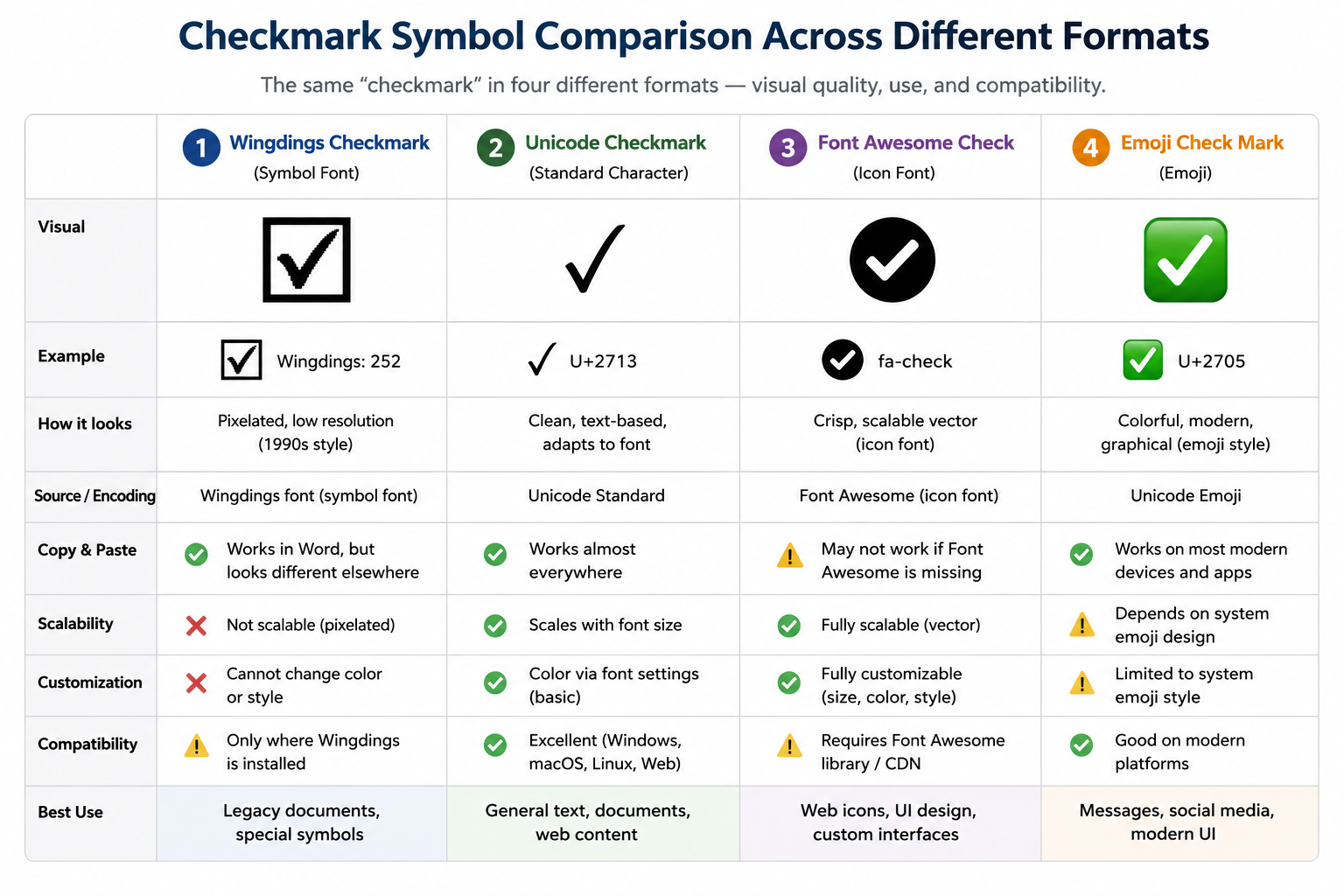
| Unicode symbols | Built into every font | Checkmarks, arrows, math |
| Office 365 Icons | Microsoft’s built-in icon library | Word, PowerPoint, Excel |
| SVG images | Vector graphics | Any scalable icon need |
Frequently Asked Questions
Are Webdings and Wingdings the same font?
No. They are two distinct fonts with different symbol sets, different design philosophies, and different creation dates. Wingdings (1990) is more decorative and general-purpose; Webdings (1997) was designed specifically for web UI use. Typing the same key in each font will almost always produce a different symbol.
Why does my Wingdings text show as boxes or question marks?
This happens when the font is not installed on the recipient’s system. Wingdings is a Windows font — macOS users and many mobile users do not have it by default. The recipient’s system substitutes empty boxes for characters it can’t render.
Is Wingdings a secret code or cipher?
No. Wingdings is a symbol font, not a cipher. While the consistent letter-to-symbol mapping means you can technically use it to encode messages, it is trivially easy to decode and was never designed with secrecy in mind. It became associated with “secret codes” largely due to the NYC controversy and its use in games like Undertale.
Can I use Wingdings on a website?
You can, but you probably shouldn’t. Most website visitors will not have the font installed, meaning the symbols won’t render. If you want font-based icons on a website, use a proper web icon font like Font Awesome, which embeds the font file directly.
What happened to Webdings?
Webdings is still technically included in Windows, but it is rarely used in modern web design. The problem it was designed to solve — fast-loading web icons — is now better addressed by SVG icons, web icon fonts, and PNG/WebP images with modern compression. Webdings is effectively a historical artifact.
Which is better: Webdings or Wingdings?
For most users today, neither is the right choice. But if you had to pick one for legacy document work, Wingdings is more widely supported, has a larger symbol library (especially with Wingdings 2 and 3), and has broader name recognition. Webdings has almost no relevant modern use cases.
Did Microsoft create Wingdings?
Microsoft licensed Wingdings from Bigelow & Holmes, who designed it. Microsoft did not create it, but they popularized it by bundling it with Windows. Webdings, by contrast, was created with direct Microsoft involvement alongside Adobe and Netscape.
Conclusion
Wingdings and Webdings are two of the most recognizable fonts in computing history — not because they’re beautiful or widely loved, but because they were everywhere for decades. They solved real problems in an era when images were heavy, browsers were basic, and Unicode was barely a concept.
Wingdings won the longevity contest: a richer symbol set, three font variants, and enough pop culture appearances to remain relevant in meme culture, gaming, and puzzle design.
Webdings was a specialist tool that became obsolete as web technology improved. It solved a 1997 problem that no longer exists.
For new projects in 2025, use emoji, SVG icons, or proper web icon fonts. But if you’re maintaining legacy Word documents, curious about typography history, or trying to decode a mysterious string of symbols — now you know exactly what you’re dealing with.
Want to convert Wingdings symbols to regular text? Try an online Wingdings translator tool to decode any symbol font instantly.